
Filtering RSS feeds by tag
Use CommaFeed filter expressions to hide irrelevant posts like this one
Note: this post is part of #100DaysToOffload, a challenge to publish 100 posts in 365 days. These posts are generally shorter and less polished than our normal posts; expect typos and unfiltered thoughts! View more posts in this series.
If you’re an RSS subscriber, and aren’t interested in reading a deluge of 100DaysToOffload posts, I have good news: most RSS readers support filtering out posts by keyword! And, you’re probably technical enough, and smart enough, that you can skip this tutorial and just go do it.
If you use Commafeed (which is great), you can filter out these posts like so:
- When viewing a single feed, append
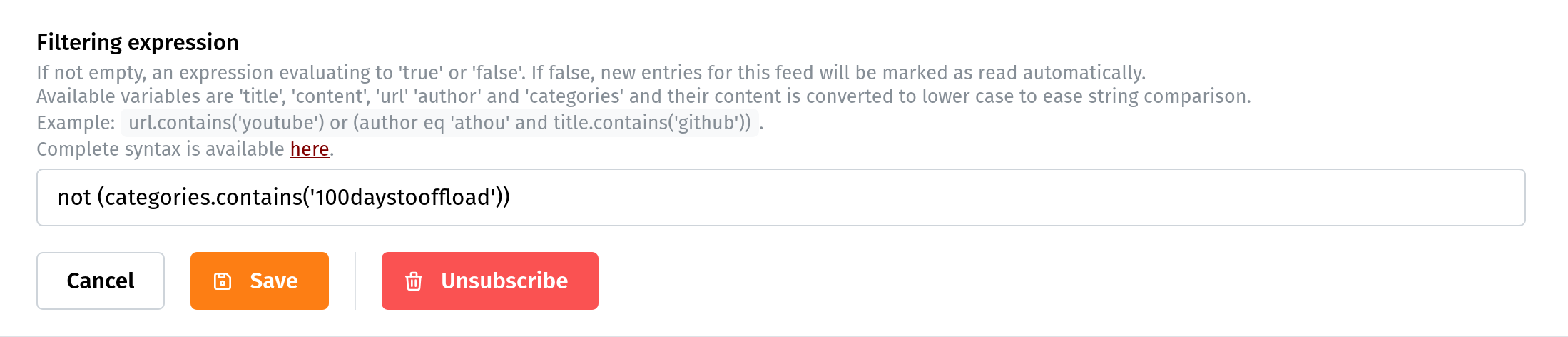
/detailsto the url, or click the little edit icon to the right of the title. At the bottom of the page, you’ll see something like this:

- Add an expression, following the instructions. In this case,
not (categories.contains('100daystooffload')):
- Click Save, and you’re done!
Posts tagged 100DaysToOffload will now be marked read automatically.