
How to fit Qwen 3.6 35B A3B into 16GB of VRAM, & run it with Llama.cpp on an RTX 3080
The belly hangs over the belt, but it fits
I have been informed by the internet that using Ollama is passé. Though it’s easy to get set up and use, and popular with rank beginners like The Autodidacts, power users balk at the fact that:
- Performance is worse than llama.cpp et al.
- It’s a VC-backed startup that’s rapidly selling-out on the local-first promise by touting paid cloud offerings
- It relies on Llama.cpp for the heavy lifting, without giving credit where credit is due
Long ago, I thought, okay, I should just switch to llama.cpp. I’ve used whisper.cpp, how hard can it be?
Let me just say: there’s a reason Ollama is so popular.
Every time I tried to switch to llama.cpp, it either a) it wouldn’t compile, or b) I got cryptic CUDA memory allocation errors. (Even when I went to run the commands to test for this article, it was broken, because of an interrupted brew upgrade.)
But now I am past that. After fruitless Googling, I threw command line arguments at it until it worked, and now this post is fruit for you to Google.
Step 0: Pre-requisites
You will need a system that can run the model you want to run. Two websites that are useful for getting a general idea of what’s likely to fit (though they aren’t the last word!):
(Which one is ripping off which? I can’t tell.)
For this post, I’m assuming 16gb of VRAM. You will also want a fast-enough processor and plenty of system RAM, since we will be offloading some of the work to CPU + system ram, and some to GPU + VRAM.
(Find out how much VRAM you have with nvidia-smi, rocm-smi, or lspci -v | grep -i vga -A 12)
Step 1: Install Llama.cpp
Once you figure it out, compiling it is easy. But llama.cpp changes so fast, I prefer to use the version packaged by brew, for simplicity and automatic updates.
Once you have Linuxbrew installed, and on your $PATH, you can run:
brew install llama.cpp
... and llama-cli and llama-server will be available everywhere.
Step 2: Download the Model
Obviously, we’re going to be using a quantized model. 4 bit quantization seems to generally be considered a good compromise, and I’m not fancy, so I went with the crowd.
Llama.cpp can download directly from HuggingFace. Unsloth seems like a reasonably trustworthy provider, so I went with unsloth_Qwen3.6-35B-A3B-GGUF_Qwen3.6-35B-A3B-UD-Q4_K_XL.gguf and mmproj-BF16.gguf.
Then I read about MTP models on this HackerNews thread, and switched to Qwen3.6-35B-A3B-MTP-GGUF, same quants: Qwen3.6-35B-A3B-UD-Q4_K_XL.gguf and mmproj-BF16.gguf. Way faster!
In fact, it appears that the MTP model fits entirely in VRAM, so if you have 16gb, you can skip the next section, and use --n-gpu-layers -1, --fit on, or nothing, and it will just work. If you have less VRAM, a different config, or a different quant, the section on making it fit will still be relevant.
If you opt for downloading with llama.cpp rather than manually, you can use:
LLAMA_CACHE="models/" llama-cli -hf unsloth/Qwen3.6-35B-A3B-MTP-GGUF:UD-Q4_K_XL
... assuming your models directory is a subdirectory of your working directory.
(FWIW I have no idea what I’m doing. You should probably go read Simon Willison or something. Except, they don’t write about stuff this basic. So you’re stuck with me!)
Step 3: Make it fit!
After reading various things about offloading the MoE (mixture of expert) layers to CPU, and trying all kinds of things that didn’t work, I found one that did: offloading only ~16-24 of 40 layers to GPU. Otherwise, I got CUDA allocation errors (ie, not enough VRAM).
The relevant flag:
--n-gpu-layers 16 # or -ngl 16
I was able to get up to 29 layers on GPU. 32 was too many. You can calculate exactly how many you can get, if you want (layer_size = model_size / num_layers), but it also depends on what else is using VRAM, so aim conservative.
It’s also instructive to see what Llama can find in the way of devices. It might be CUDA0 or Vulkan1 (or possibly Klingon2). Find out what you’ve got with: llama-cli –list-devices
Step 4: Run it!
Here’s the full command (adjust the paths to match where you downloaded the model):
llama-cli --model /path/to/models/Qwen3.6-35B-A3B-MTP-GGUF/unsloth_Qwen3.6-35B-A3B-GGUF_Qwen3.6-35B-A3B-UD-Q4_K_XL.gguf --mmproj /path/to/Qwen3.6-35B-A3B-MTP-GGUF/mmproj-BF16.gguf --n-gpu-layers 24 -p "Write a 100 word sermon on the moral and practical benefits of supporting independent bloggers such as Autodidacts.io with micro-donations, as a thank you when they write an article that improves your life in some tiny way."
Here is the turgid homily Qwen produced:
Beloved, heed the call of gratitude. When an independent voice on Autodidacts.io sharpens your mind or eases your burden, however slightly, return the blessing. A micro-donation is no small matter; it is moral alchemy, transforming gratitude into justice for the creator.
Practically, these scattered offerings fuel the engine of truth. They ensure the lights remain on, servers hum, and wisdom flows free from corporate chains. By tipping for tiny improvements, you sustain the ecosystem of ideas. Support the independent blogger. Honor the craft. Let your thanks keep the wellspring fresh. Amen.
It’s so bad, it kind of makes it better, because it makes its own point!
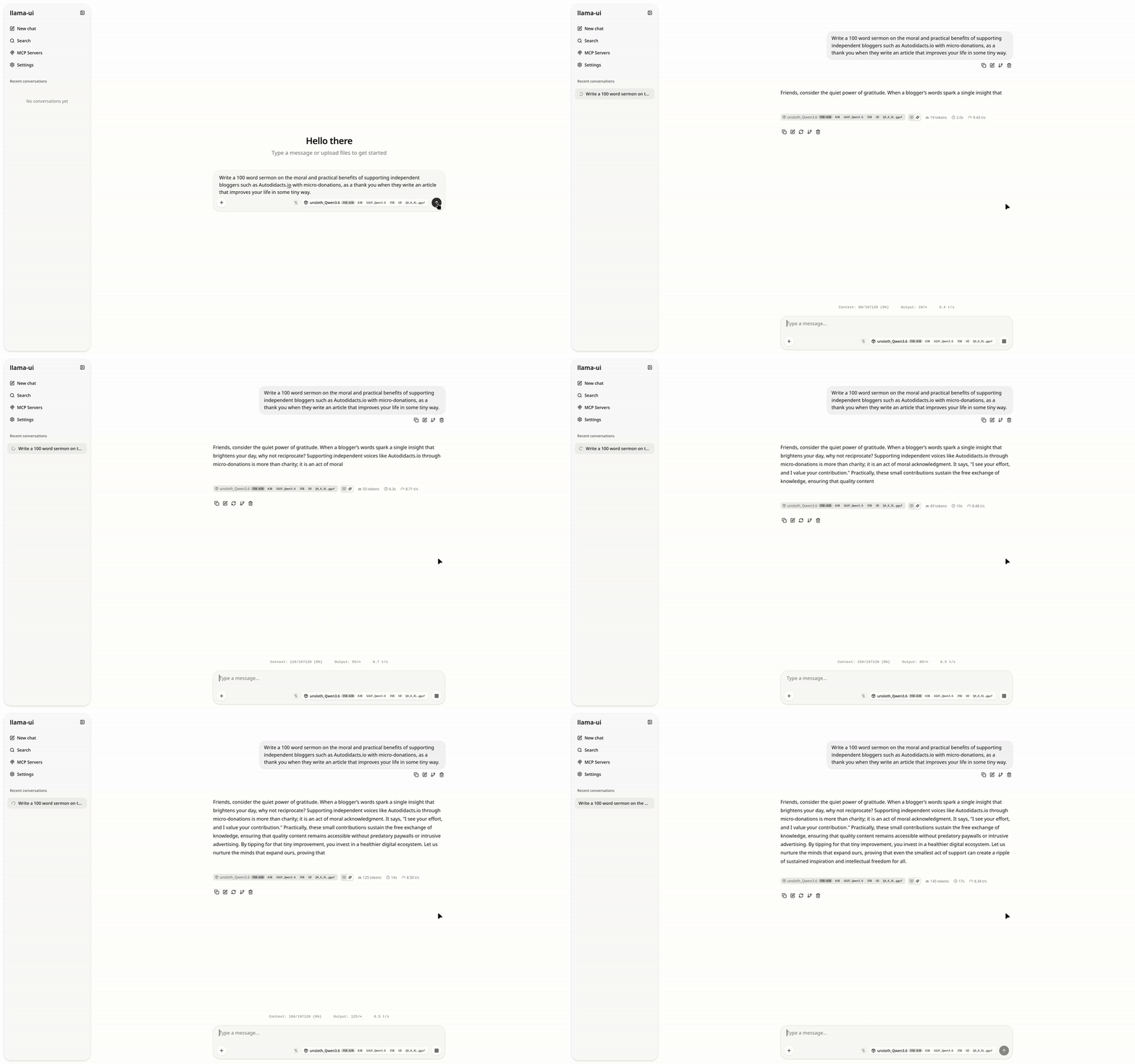
Or run a jazzy web interface
It turns out that llama-server is super easy to run, and much more pleasant to use. Really, the only reason I can think of to use llama-cli is for one-off questions and scripting in bash pipelines, when you don’t want to write a Python wrapper.
Start it like this:
llama-server --model /path/to/models/Qwen3.6-35B-A3B-MTP-GGUF/unsloth_Qwen3.6-35B-A3B-GGUF_Qwen3.6-35B-A3B-UD-Q4_K_XL.gguf --mmproj /path/to/Qwen3.6-35B-A3B-MTP-GGUF/mmproj-BF16.gguf --n-gpu-layers 24 # you might not need this last argument if you’re running the MTP model
Then, go to 0.0.0.0:8080 (the default host and port), and you get a nice web UI. I didn’t even know it existed, but it does, and it’s as good as Jan.ai or Lumo.
Conclusion
I’m getting 14-22 t/s, which is pretty feeble, but adequate for my limited needs (mostly, looking up syntax I’ve forgotten when I’m offline). This is probably because my CUDA install is, as usual, broken, and I’m using Vulkan. Update: the MTP model is more like 30 t/s.
[Every time I buy a laptop, I decide that next time I’m buying AMD graphics. And then, because I’m a cheapskate, I buy Nvidia, and spend the next half-decade fighting with my graphics drivers.]
Soon, I’ll write about using Llama.cpp for handwriting OCR. (Spoiler: Qwen 3.6-35B-A3B works even better than Qwen3-VL:8b.)
Other people use the 8 bit quant of Qwen 3.6 27B, and like it. I don’t know where the sweet spot is between a bigger model with more aggressive quantization, and a smaller model with less aggressive quantization. I haven’t tried 27B Q8 yet, but I probably will soon. If you’ve tried both, let me know your impressions!