
How to fit Qwen3.8-27B into 16GB of VRAM and run it on a single RTX 3080 card: the best quantizations and Llama.cpp flags I've found
TL;DR: UD-IQ3_XXS with KV cache quantization
Despite being a notorious AI skeptic, when Qwen3.8-27B came out, I spent several afternoons trying to get it to run on a 16gb Nvidia card with halfway decent results.
Eventually I did, and this is how.
Note: This is the sequel to the nearly-identical saga of trying to get Qwen3.6 to run on the same hardware.
Step 1: Lower Your Expectations
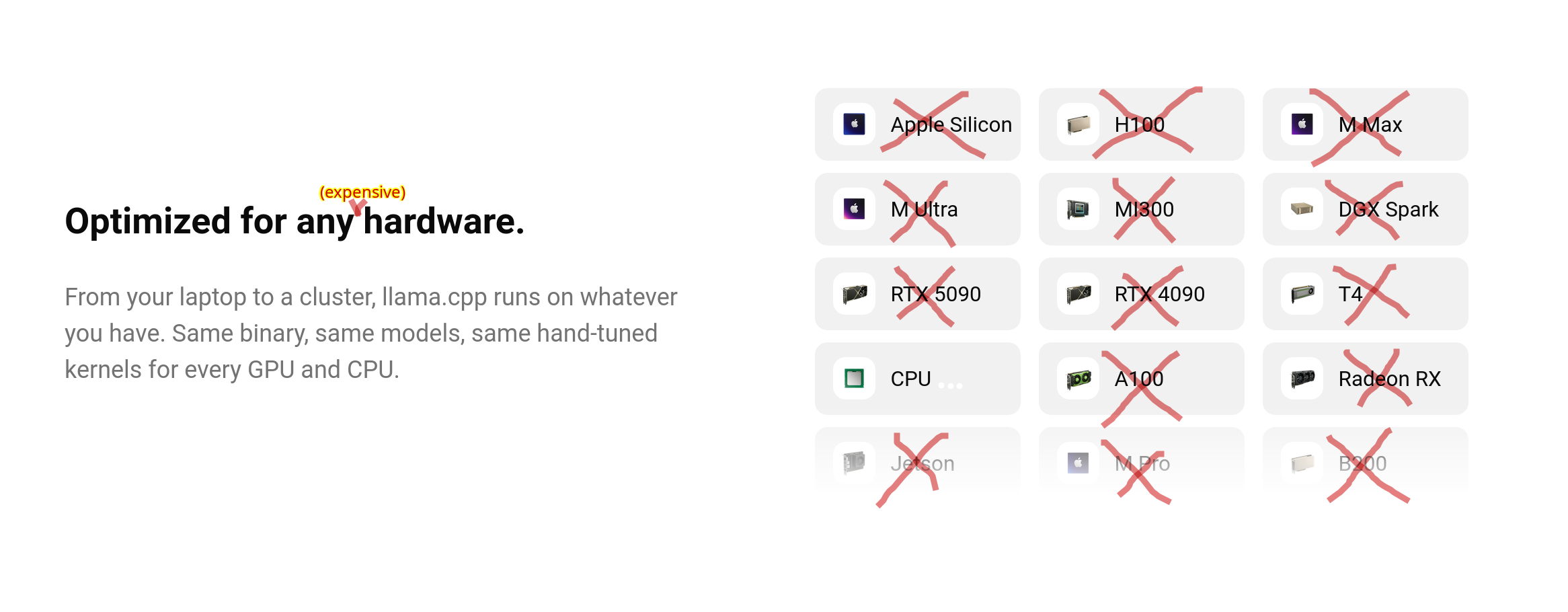
The cool kids are all running dual RTX PRO 6000 Blackwells or DGX Sparks, or, if they’re really impoverished, AMD Strix Halo with 128gb unified memory.
The average HackerNews reader seems to run inference on their spare M6 MacBook with 960gb of RAM.
I just bought a new old laptop, with four times the GPU of my last one: 16gb of VRAM seemed like a dream to someone who couldn't even run models above 14b, let along run them with all layers on the GPU.
I soon learned that, actually, no, the dream life begins at 32gb of VRAM, and that on the internet, if you use "16gb" in the same sentence as "local AI", expect pity/sniggering/incredulity, and recommendations for woefully outdated 8B parameter models.
If you look at those annoying "Will it run on my hardware" websites (link, link, link), they all say, NOPE!
Qwen 27B is generally meant to fit on 32gb+ of memory, at a reasonable quantization (q8, usually) and context length. The official Llama website says so, and refuses to link to quants below q8.
Anything below q4 is generally considered to be akin to talking to a toddler, and KV quantization is frequently described as “lobotomy”.
So, I’m going to break it to you right now: according to the experts, we’re going to be talking to a toddler with a lobotomy. Because the best results I’ve had are with UD-IQ3_XXS, with the KV cache also quantized to smithereens.
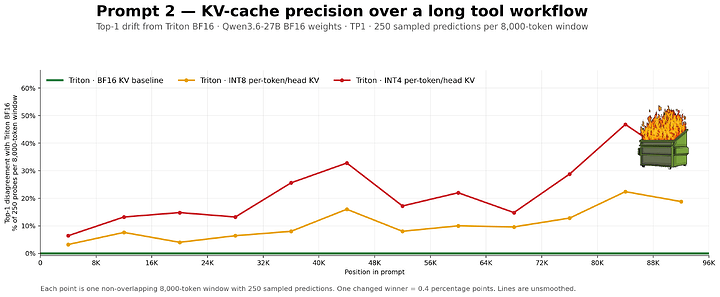

An illustration of our future, via Level1Techs.
(The Level1Techs post was benchmarked on, you guessed it, an RTX Pro 6000 Blackwell)
Interlude: Qwen3.8 is weird
The first thing you notice when you run this model is that it sounds like a toddler when it’s reasoning, and this has nothing to do with our extreme quantization.
Qwen3.8 talks to itself in grug-brained cavespeak.
I think this is pretty cool, actually. It probably saves tokens!
The other thing everybody is talking about is how long it thinks for. It thinks for a long time! I ran Qwen3.8-27B-UD-Q5_K_M for 36 hours, grinding along at like 1.5 t/s, before it spat out the script I’d asked for (which was cool, but didn’t work first try), and almost all of that was thinking.

Step 2: Download Llama.cpp (if You Don’t Have it)
Since I last wrote about it, Llama built a website, and now has a curl-to-bash installer. If you trust ‘em, just run:
curl -LsSf https://llama.app/install.sh | shFor what it's worth, when I tried it, this installer delivered a binary built for ... you guessed it, RTX Blackwell.
Or, if you trust Linuxbrew with Curl to bash, and managed to get it on your $PATH, you can run:
brew install llama.cpp
... and llama-cli and llama-server will be available everywhere, with (in my case), Vulkan support, but not CUDA. This is likely the fastest way to get up and running.
Like last time, I had a big nightmare trying different Nvidia drivers, and CUDA toolkits, and eventually got everything set up right (610 driver didn't work, so I went with 595-open, which used to not work, but now works fine):
sudo apt purge *nvidia*
sudo ubuntu-drivers install
sudo apt install nvidia-cuda-toolkit
... and then built Llama.cpp from source with CUDA support for my actual architecture (Ampere) and compute capability (like, nothing):
git clone https://github.com/ggml-org/llama.cpp.git
cd llama.cpp
sudo apt-get install libvulkan-dev glslc spirv-headers # <-- without these *Vulkan* might break when you try to build.
cmake -B build -DGGML_CUDA=ON
cmake --build build --config Release
cp build/bin/llama "/home/$USER/.local/bin/llama"
For the first time ever, when I run llama serve --list-devices I have CPU, Vulkan (both intel and Nvidia), and CUDA support. This is big.
Step 3: Download the model
As before, I went with Unsloth’s quantizations.
First I tried Q4_K_M. Too slow! And there wasn’t much headroom for context.
Then, I tried IQ4_XS. Maybe a bit better? But not much.
Then I tried UD-Q3_K_XL. Meh.
Then I tried UD-Q3_K_S?
[ Here, Unsloth updated all models to Dynamic v3 quantization. ]
Then I tried UD-IQ3_XXS. This is way faster. All layers fit on the GPU. I haven’t noticed an obvious quality degradation, though there probably is one. But if you can iterate faster, that can make up for it. This is the only model I’ve tried that a) fits in VRAM, b) while giving reasonable generation speed, with c) plenty of headroom for context. (Also, it loads fast.)
I also have UD-Q5_K_M in case I need something more epic. It does not fit in VRAM, but it will run with -n-gpu-layers 24, albeit really slowly.
You also might want the vision projector for multimodal use. I went with mmproj-BF16.gguf because that's what I've mostly seen other people use.
Step 4: Tune the knobs
Here's the behemoth I've running (in a moment we will break it down; some of it is of dubious utility):
LLAMA_CACHE="models/" llama serve --model models/Qwen3.8-27B/Qwen3.8-27B-UD-IQ3_XXS.gguf \
--mmproj models/Qwen3.8-27B/mmproj-BF16.gguf \
--cache-type-k q4_0 --cache-type-v q4_0 \
--n-gpu-layers all --gpu-layers-draft all \
--flash-attn on \
--spec-type draft-mtp,ngram-mod --spec-draft-n-max 2 \
--top-p 0.95 \
--top-k 20 \
--min-p 0.0 \
--temp 1.0 \
--ctx-size 32000 \LLAMA_CACHE="models/"set an environment variable for where models live. This only matters if you're downloading from HuggingFace etc. I wanted it here, rather than the default location, which is too obscure. (The default location is so obscure I can't even remember what it is: I might be thinking of Ollama.) It doesn't have an effect when you're passing the model the way we are.llamathe binary we just built/installed (Note: I can't remember if Linux brew provides llama, or justllama-serverandllama-cli)servestart the server (with Web UI + API) rather thanclior other utilities.--model models/Qwen3.8-27B/Qwen3.8-27B-UD-IQ3_XXS.ggufpass the path to the model we just downloaded, in GGUF format.--mmproj models/Qwen3.8-27B/mmproj-BF16.ggufpass the path for the vision projector (this is only needed if you want multi-modal capabilities, like having it critique your outfit in a photo, which can have hilarious results, or detecting wildfire smoke). I'm not sure what's the ideal quantization for this, so I just used what I used before, which seems to be what other people use, too.--cache-type-k q4_0 --cache-type-v q4_0this is one of the actually important parts. This sets the quantization of KV (key value) cache. The first flag is key quantization, and the second is value quantization. If you can afford to set it higher, do so! People say that Qwen handles aggressive cache quantization better than other models. Many people run both at q8_0:--cache-type-k q8_0 --cache-type-v q8_0I've also commonly seen--cache-type-k q8_0 --cache-type-v q4_0. Basically, what this is doing is buying you more VRAM (for context/more layers/higher model quant), at the cost of output quality, and speed (it eats some compute). So if you have VRAM to spare, which you will if you are asking one off questions, skip this. But without KV quantization, I can't get above ~32000 context. With it, I can get to 128000+.--n-gpu-layers all --gpu-layers-draft allput everything on the GPU, so it's fast; which we can do because we're using a small quant, and doing all this fancy stuff. Running UD-Q5_K_M, you will not be able to fit all layers on a 16gb GPU. I fit 24 layers (maybe more would fit, I didn't test higher than that).--flash-attn onthis is supposed to make it fast. I haven't noticed any effect; I think it's maybe on by default in recent versions.--spec-type draft-mtp,ngram-mod --spec-draft-n-max 2multi-token prediction (MTP). Makes it faster, at cost of using more VRAM. I haven't noticed a huge effect. It seems that higher values (3-5) result in generation speeding up over time, at least at the start, while lower values result in generation slowing down rapidly as more tokens are produced. 2 seems like the sweet spot. The overall benefit seems small, but it might help speed a bit.ngram-modseemed to noticeably add a few extra tokens per second.--top-p 0.95 --top-k 20 --min-p 0.0 --temp 1.0these are Qwen's recommended sampling parameters. I haven't experimented much with them. If you are using lower reasoning, or doing OCR or something, you might want to lower the temperature.--ctx-size 16000this is the most important part! Set it low and it's fast, and you can run less quantized model/cache. But it's a pain to run out of context, and Qwen3.8 really burns through context with reasoning. The default of ~4k is a joke. 16000 to 32000 is okay for one-shot questions, but for coding or longer back-and-forths you'll probably want 64000 to 128000. I haven't needed higher than 128ooo, but I have been able to get that high with q4 cache quantization on UD-IQ3_XXS. Note that higher contexts really effect generation speed. For long running back-and-forths, I will restart the server with longer context between turns as needed, rather than starting at 128000. You can also set it to 0, and it will try to to use the model's context length.- Other flags people recommend that I sometimes use, but haven't noticed clear effects from, and/or don't fully understand:
- --load-mode mlock # lock model in memory
- --kv-unified
- --kv-offload # move KV to CPU
- --chat-template-kwargs '{"preserve-thinking": true, "reasoning_effort": "medium"}'
- --reasoning auto
- --reasoning-preserve
- --batch-size 512 # people disagree on values for these
- --ubatch-size 256
- --jinja # templating
- --fit off
- --parallel 1
- -- tensor-split # if you have two cards; I didn't manage to offload anything to my peensy intel integrated graphics
Conclusion
I'm getting about 20–30 tokens per second generation with this set up, though it varies a lot with context length.
You can monitor GPU usage with nvidia-smi, rocm-smi,btop, nvtop, etc. I mostly use btop because it's purdy:
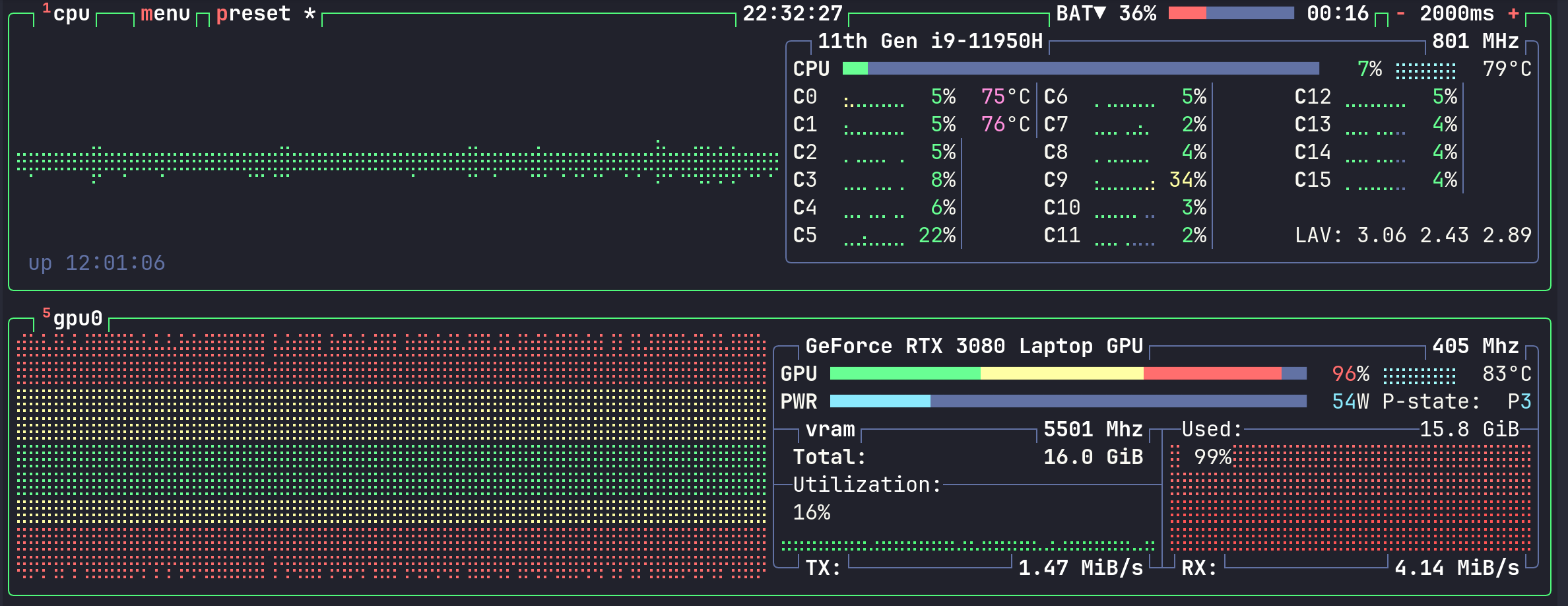
If anyone has a config that can squeeze out more accuracy or performance on a 16gb card, I'd like to hear about it.
AI Disclosure: As usual, no was AI used to write this post.